
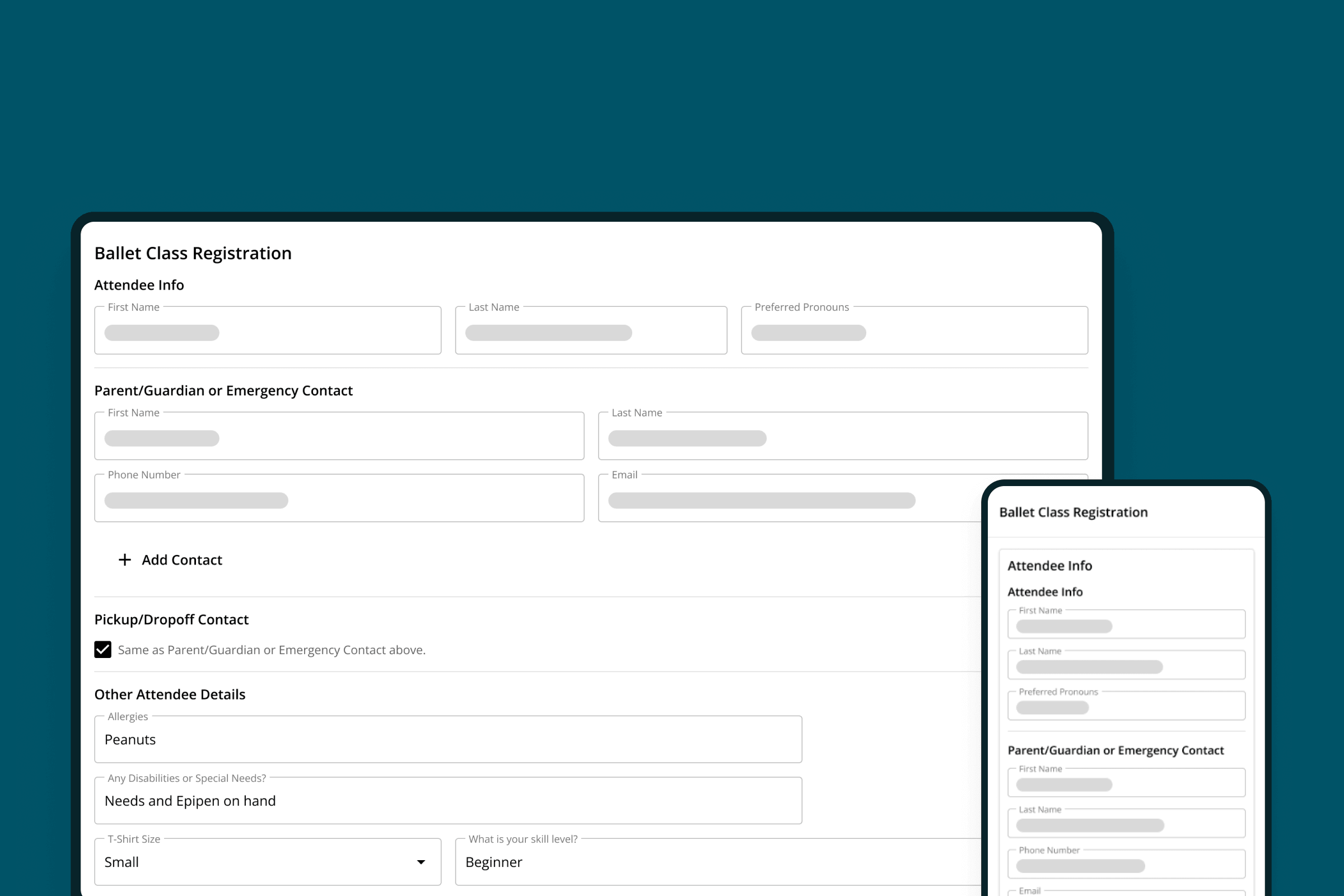
Forms & Registrations
Streamline event registrations with checkout questions.
Gather all the information you need about patrons and registrants during checkout - no separate tools or follow-up emails required.
WHY IT MATTERS
Everything in one place, without the follow-ups.
Whether you're juggling parents registering their kids into a camp or class or collecting meal preferences for a dinner theater production, getting the information you need can be tedious and time-consuming: build a form, email it out, chase down parents who haven't filled it out, and manage responses in a spreadsheet that's disconnected from your other systems. On The Stage solves this problem by embedding custom questions right into the purchase flow, so that you can gather all of the information you need during checkout without the need for additional tools.
Streamline Operations
One flow instead of following up with an email, a form, and a spreadsheet.
Learn more →Delight Ticket Buyers
A single checkout that's finished in one sitting, using their phone.
Learn more →Leverage Insights
Access a holistic view of buyer activity that includes registration responses alongside purchase and donation history.
Learn more →Grow Your Audience
Build audience segments from checkout responses to better understand your audience and improve marketing.
Learn more →COMMON USE CASES
Streamline registrations for every event.
Gather all the information you need during checkout, for any type of event.
Camp & Class Registrations
Ask about allergies, nicknames, skill levels, and T-shirt sizes - for multiple students at the same time.
Dinner Theater Orders
Take orders for every course during the checkout flow.
Approved Pick-up & Drop-offs
Gather names and contact info for all approved parents and guardians.
Emergency Contacts
Always know exactly who to call if something happens.
ADA Accommodations
Know who needs special assistance, such as audio devices or extra help getting into the venue.
Marketing Attribution
Ask "How did you hear about us?" to know how every buyer found your event page.
Volunteer Interest
Add a checkbox at checkout asking if they want to get involved.
Performer Shout-outs
Let buyers know if they're coming to see a particular performer.
Audience Enrichment
Ask which types of events they love, to inform future programming and promotions.
CAPABILITIES
Ask anything, however you want to ask it.
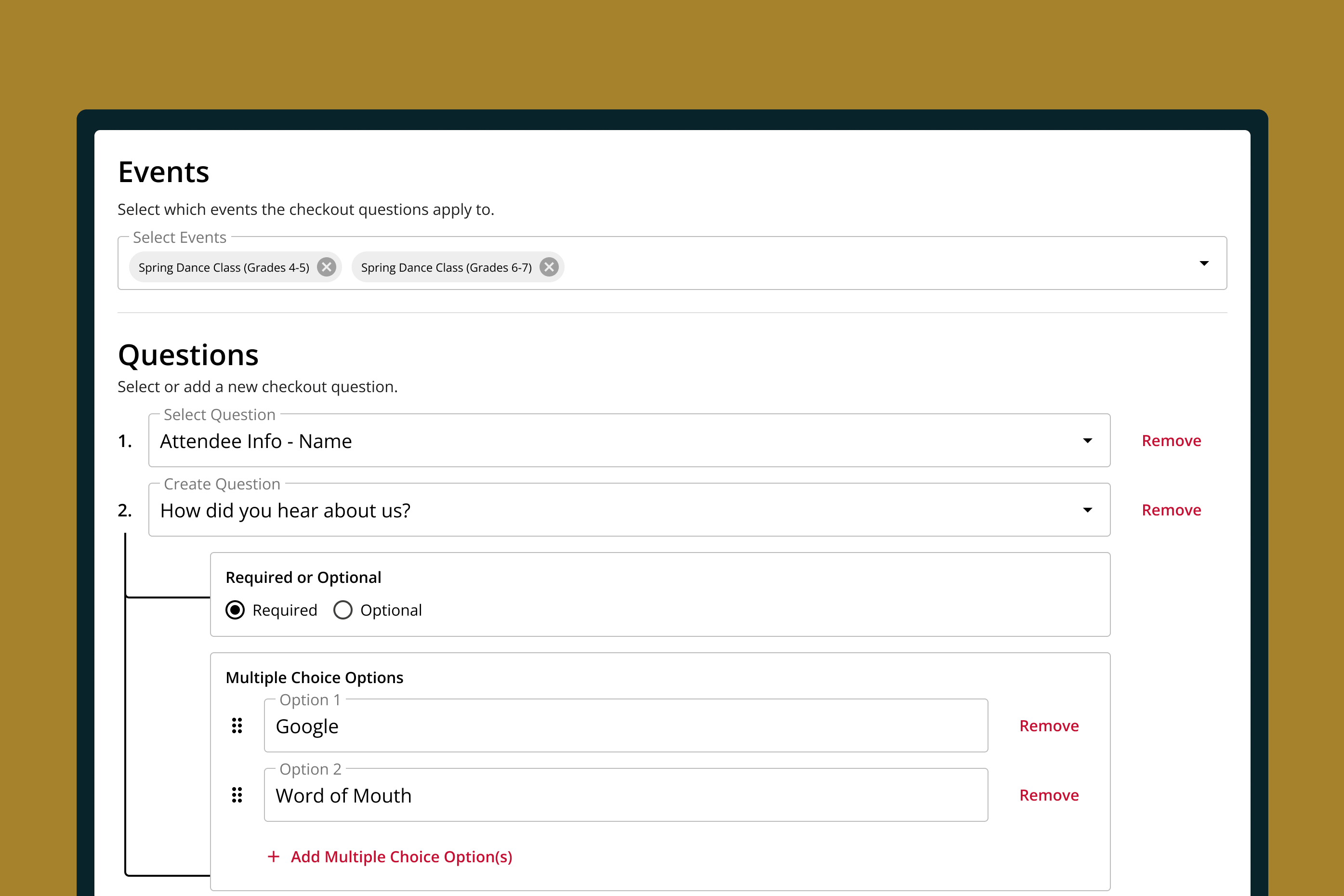
Choose from a list of pre-loaded questions, or write your own in a variety of formats.
-
•
Pre-loaded Questions
Choose from a list of common checkout questions with one click.
-
•
Custom Questions
Add custom questions to gather whatever information you need.
-
•
Multiple Question Types
Build questions using drop-downs, numbers, dates, checkboxes, and open text.
-
•
Mandatory Questions
Set questions as mandatory or optional, and let box office teams override mandatory questions.
-
•
Event Controls
Apply a checkout question to one event, all events, or a mix.
-
•
Archived Questions
Retire a question without losing the answers you already collected.
Attribute responses to the right people.
Specify who and what individual checkout questions apply to, to make sure you're always getting the right answers for the right people.
Patrons
Ask durable questions about the person buying, such as their birthday or how they found you, and save responses to patron profiles.
Attendees
Allow the buyer to answer questions about the students, participants, or registrants who will participate in the program or event.
Orders
Get answers to questions that only apply to the order, such as "who are you here to see?"
Register for multiple events - and people - in one transaction.
A parent enrolling two kids into different dance classes at the same studio can register for both classes at the same time, and provide separate sets of answers for each child.
Streamlined Registration
Each student or registrant gets their own block of questions, based on the program.
Easy Duplication
Speed up registrations by copying shared information, such as guardians and contact information, with one click.
Unique Contacts
Specify different pick-up/drop-off and emergency contacts for each student.
Unified Insights
Access registration responses per event, per response, or per registrant via the purchaser's patron profile.
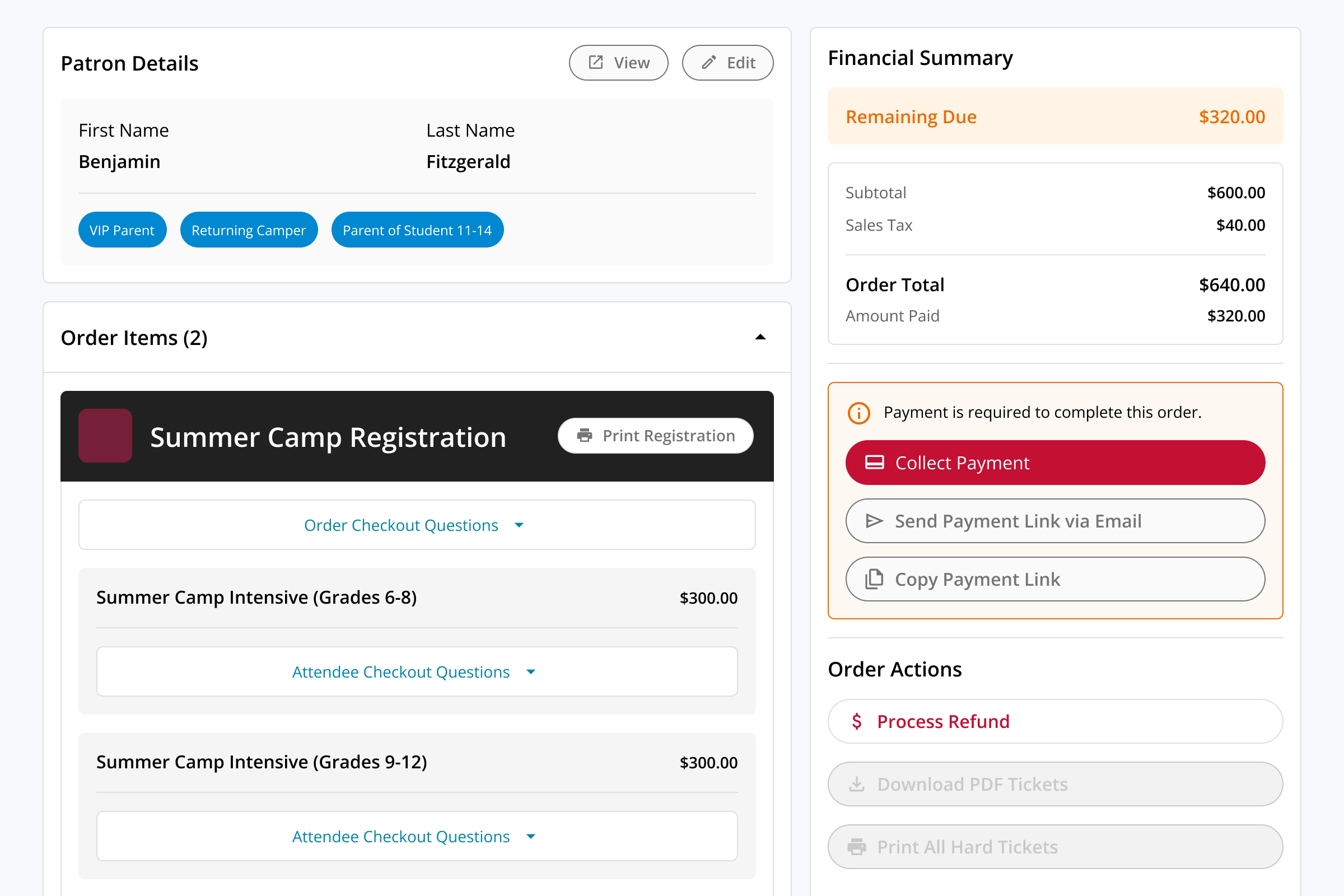
AFTER THE EVENT
Leverage responses long after the event.
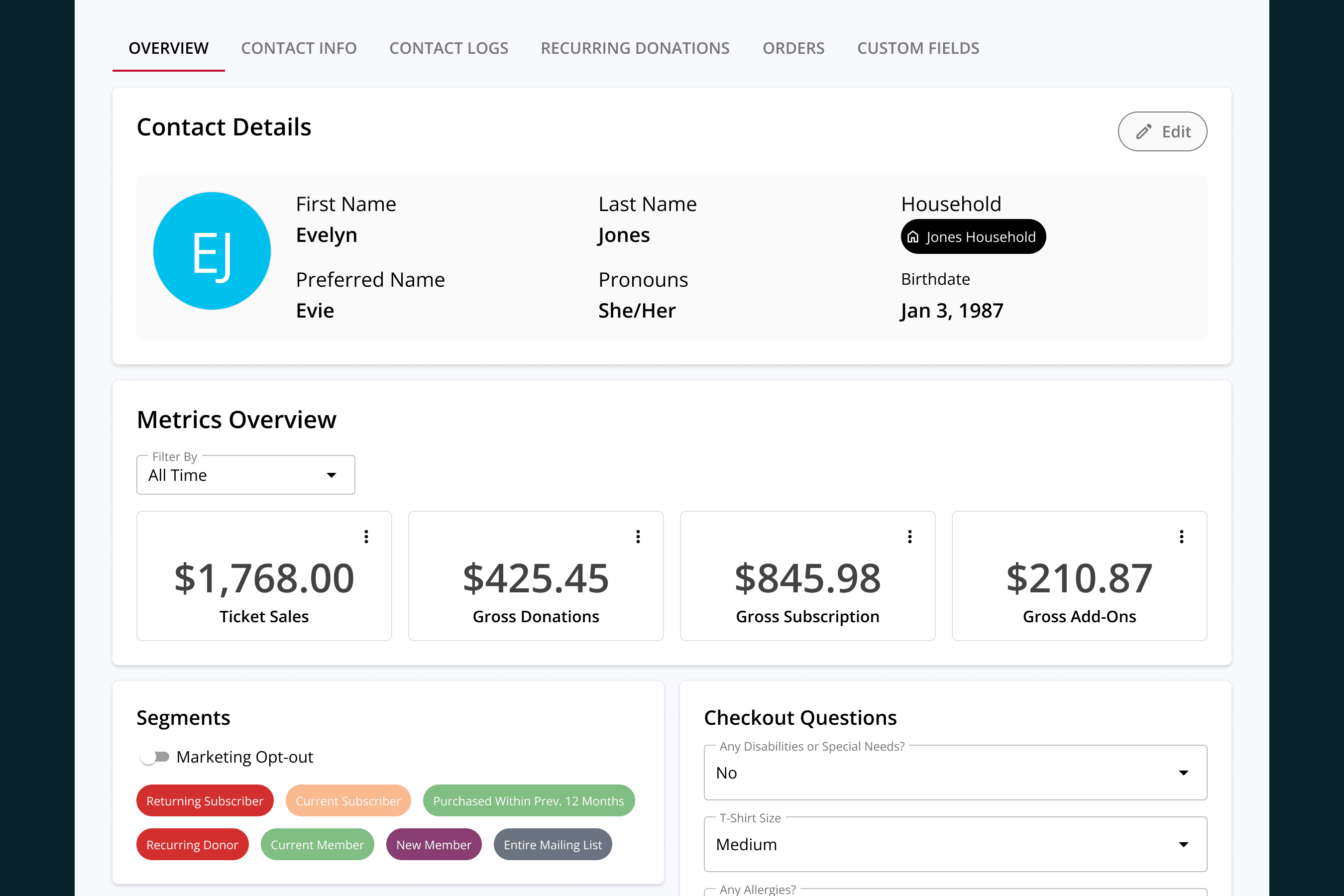
After the class, program, or event is over, OTS lets you put durable responses to work to better understand your audience and improve your campaigns.
Patron Management
Get the full picture of each patron with question responses in the same place as purchase, donation, and attendance insights.
Learn more →
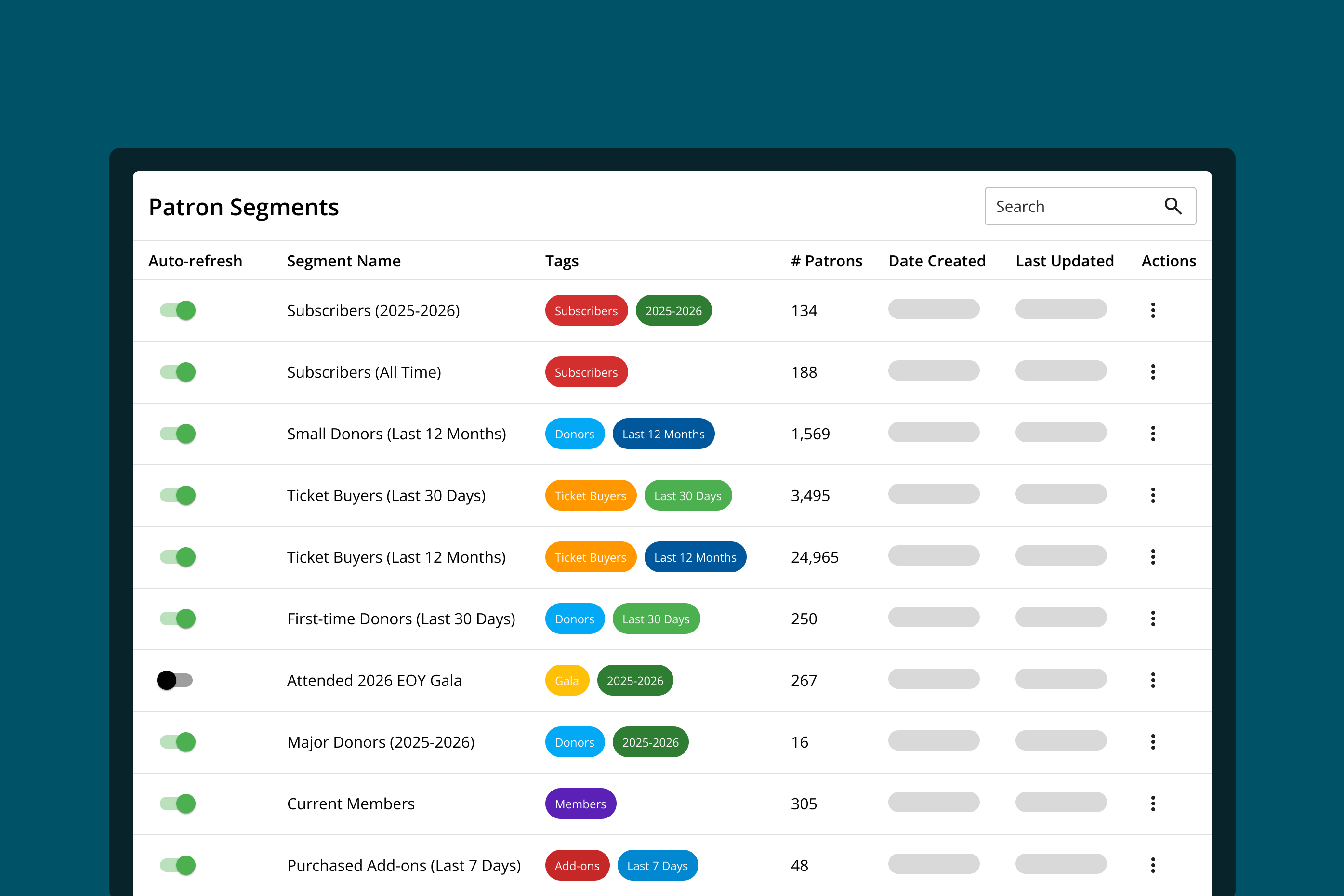
Audience Segments
Build audience lists from checkout question responses, to get a clear view of who loved your last event or wants to volunteer.
Learn more →
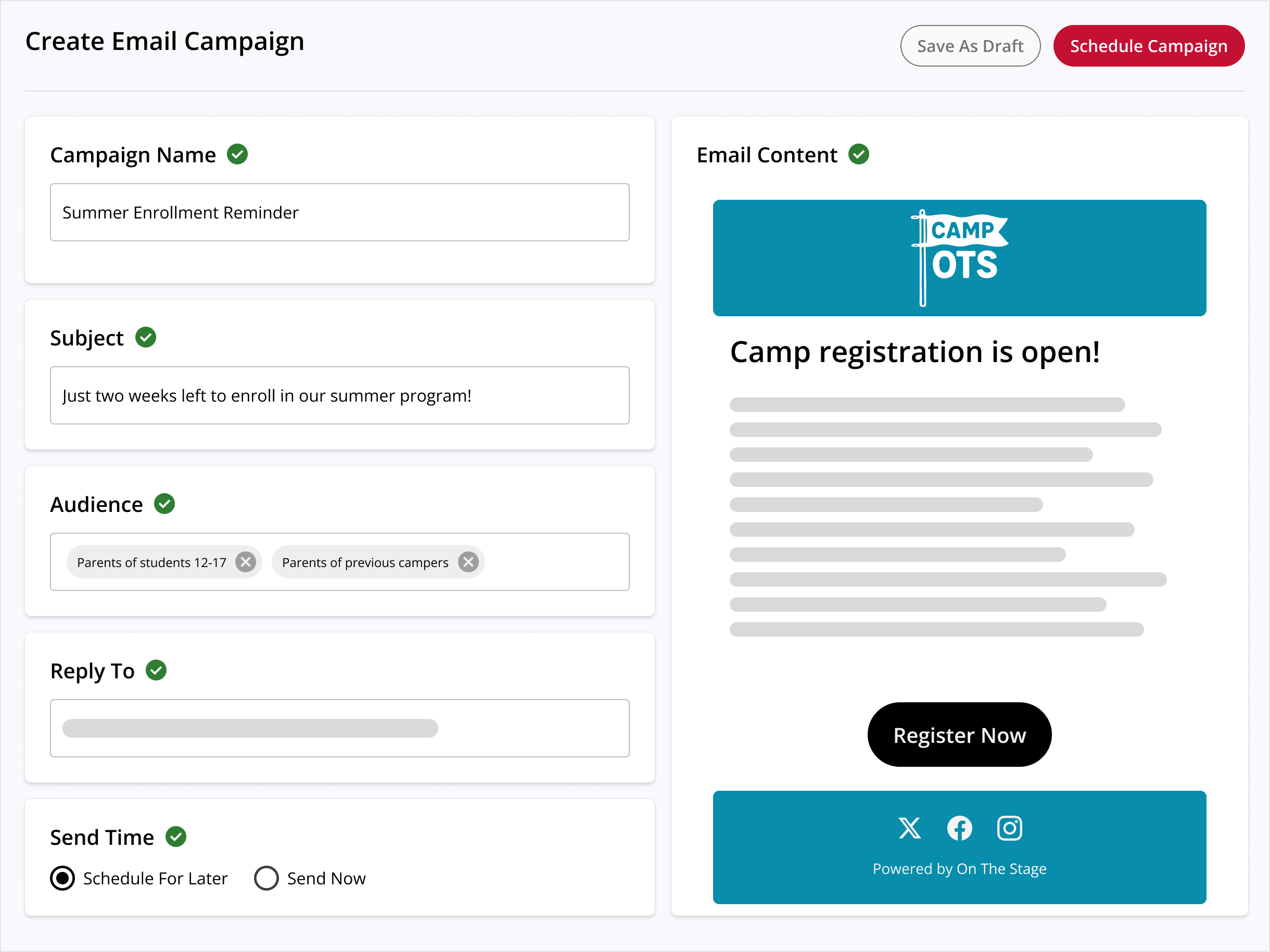
Custom Campaigns
Use audience segments to build custom marketing campaigns, using OTS or your preferred marketing tool.
Learn more →
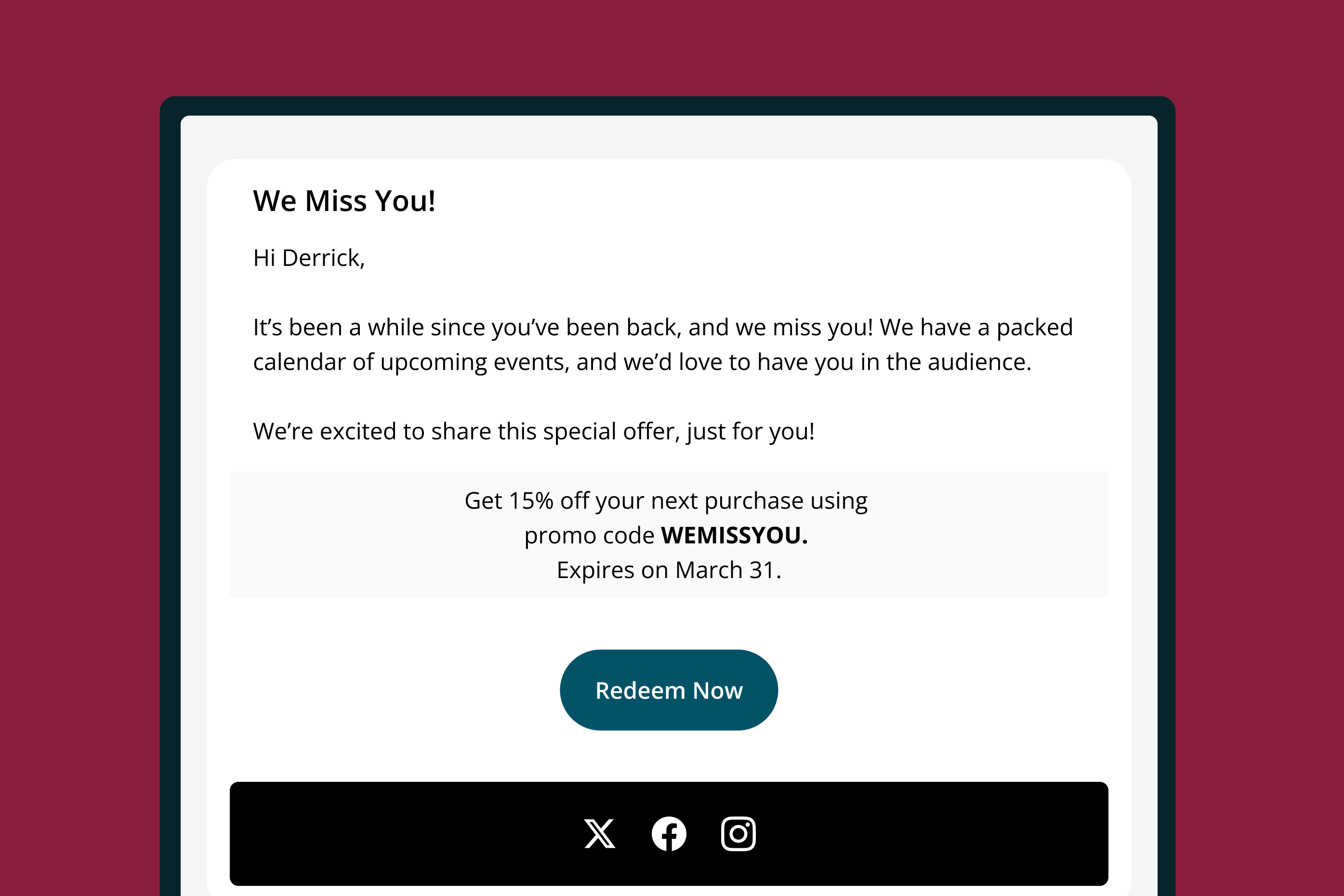
Automated Marketing
Build always-on, automated promotional and fundraising campaigns using Plays.
Learn more →

FAQ
Common questions about checkout questions.
What are checkout questions?
Questions your organization asks inside the purchase flow, answered before the buyer finishes checking out. Instead of emailing a form after the sale, you collect allergies, T-shirt sizes, emergency contacts, or anything else you need while the buyer is already there - and the answers save automatically.
How do I collect allergy and emergency contact information for a camp or class?
Ask for it at registration. Attendee questions repeat for each student being registered, so allergies, guardians, and approved pick-up contacts are captured per child in the same checkout that takes payment.
Can a parent register more than one child at once?
Yes. A parent enrolling two kids in different classes registers for both in one transaction and answers a separate set of questions for each. Shared details like guardians and contact information copy across with one click, and anything that differs can be changed per student.
Do I still need a separate registration form?
No. Anything a form would ask, you can ask at checkout - which means no second tool to manage, no follow-up email to send, and nobody chasing the families who never filled it out.
Can I make a question required?
Yes. Set any question as mandatory and buyers have to answer it before they can finish checking out. Your box office team can override a mandatory question when they're taking an order over the phone or at the window.
Can I ask different questions for different productions?
Yes. Apply a question to a single event, to everything you run, or to whichever mix you choose - so a summer camp and a mainstage production don't have to share a question set.
Where do the answers end up?
On the buyer's patron profile and on the order. Registration responses are viewable per event, per question, or per registrant, right alongside that patron's purchase, donation, and attendance history.
Can I use checkout responses for marketing later?
Yes. Durable responses - the ones about the buyer rather than a single transaction - become attributes you can build audience segments from. Everyone who said they'd volunteer, or who told you they love family programming, is a segment away from being a campaign.
Can I use checkout questions for something other than camps and classes?
Yes. Dinner theater meal orders, marketing attribution, ADA accommodation requests, volunteer interest, and performer shout-outs are all just the right question asked at the right moment.
See it in action.
See how much you can learn about your audience without sending a single form.
Request Demo