
Skip to content

NEW Download the 2026 Performing Arts Trends Report Get your copy →

on-the-stage-Engaged-Audience-14
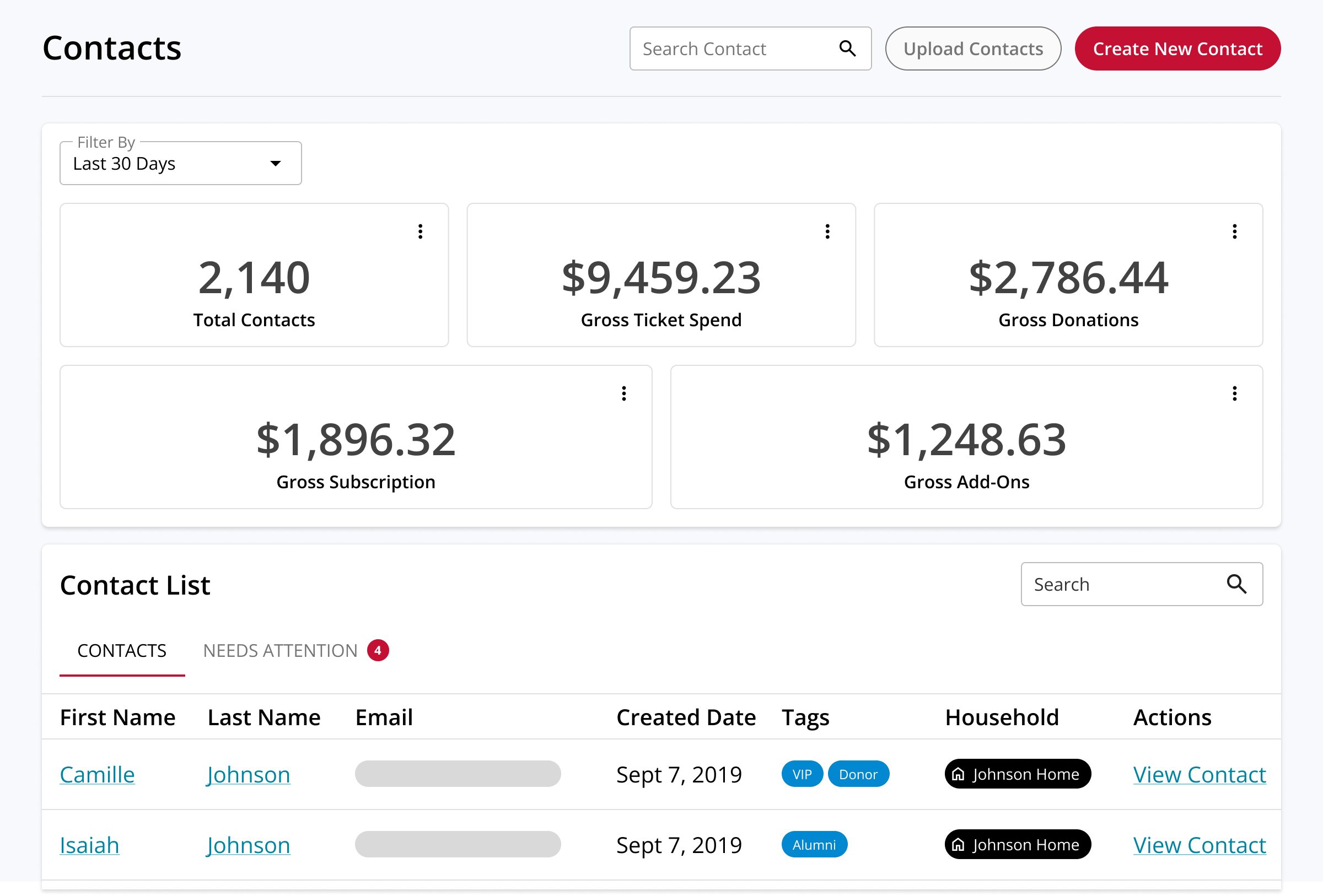
The contacts dashboard in On The Stage, listing patrons with their households, tags, and lifetime totals

Patron Management

Understand your audience and build lasting relationships.

Replace multiple systems, fragmented insights, and spreadsheets with combined patron and donation management to streamline box office operations, build more-effective campaigns, and support your audience.

WHY IT MATTERS

Accurate patron records are foundational to running your organization.

Managing your box office, supporting buyers, and building lasting relationships all rely on knowing your patrons - and it's hard to do if those insights live in a tangled web of systems, spreadsheets, and paper files. On The Stage automatically brings together ticketing, marketing, and giving insights in one place, making it easy to access the insights you need to serve your patrons, build more-effective campaigns, and streamline operations.

Manage Your Box Office

Answer questions, manage orders, and support patrons from a single screen.

Learn more →

Retain Patrons

Know when patrons are starting to drift, and take action to keep them coming back.

Learn more →

Leverage Insights

Understand how patrons, households, and segments behave over time.

Learn more →

Streamline Operations

Replace outdated tech and manual workflows with a single solution.

Learn more →

KEY FEATURES

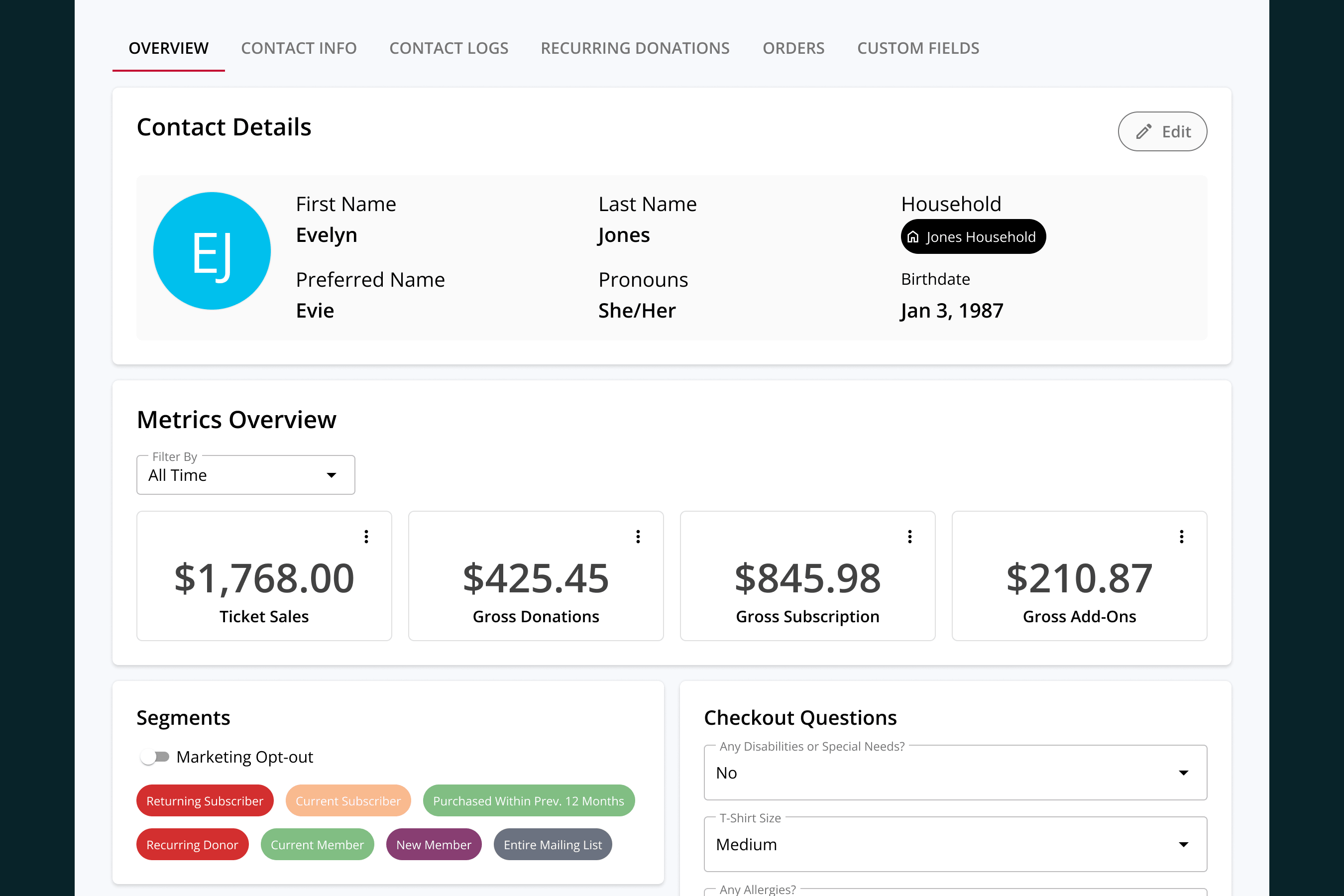
A complete view of every patron and donor.

Every order, gift, renewal, and marketing touchpoint is automatically saved to a patron's profile, giving you a complete view of their relationship to your organization.

Contact info

View and update basic contact and demographic information.

Audience lists

See which segments, households, and tags the patron belongs to.

Order history

Quickly access current and past orders.

Donation tracking

See a complete donor history that includes recurring gifts and campaign attribution.

Communication logs

Get a complete view of every in-person interaction, phone call, and email.

Unified insights

See lifetime purchase and donation totals, know when they last interacted with you, and see a complete list of account activity.
Always see the big picture.

On The Stage doesn't just centralize each patron's purchase, attendance, and donation histories in one place: it also gives you the tools to store whatever additional information about your patrons that is important to you, ensuring that you're always seeing the full picture.

  • Checkout Questions

    Ask patrons custom questions during the purchase flow, and save their answers to patron profiles.

  • Custom Tags

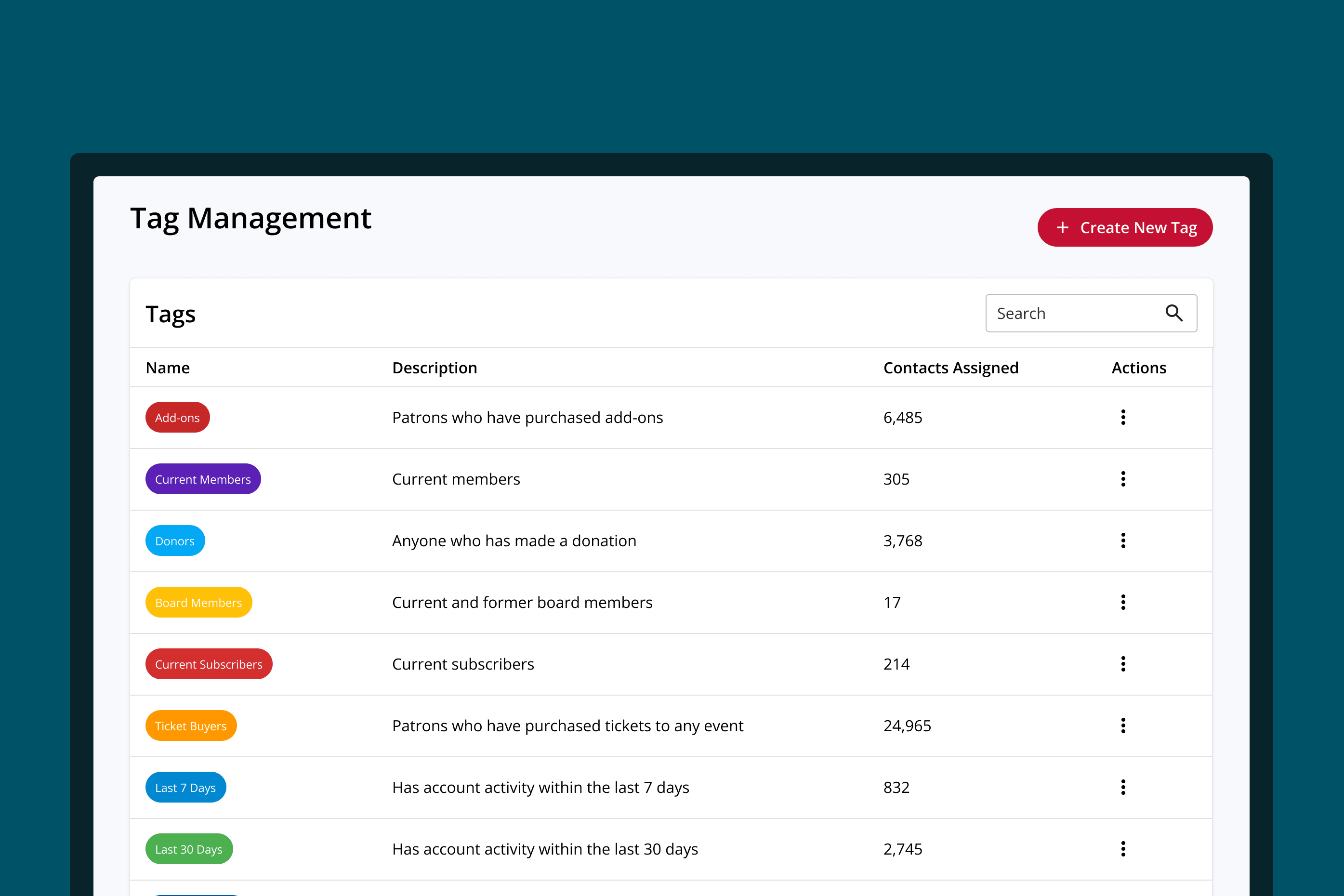
    Create patron groups based on how your organization operates using custom tags, such as VIP, major donor, or alumni.

  • Households

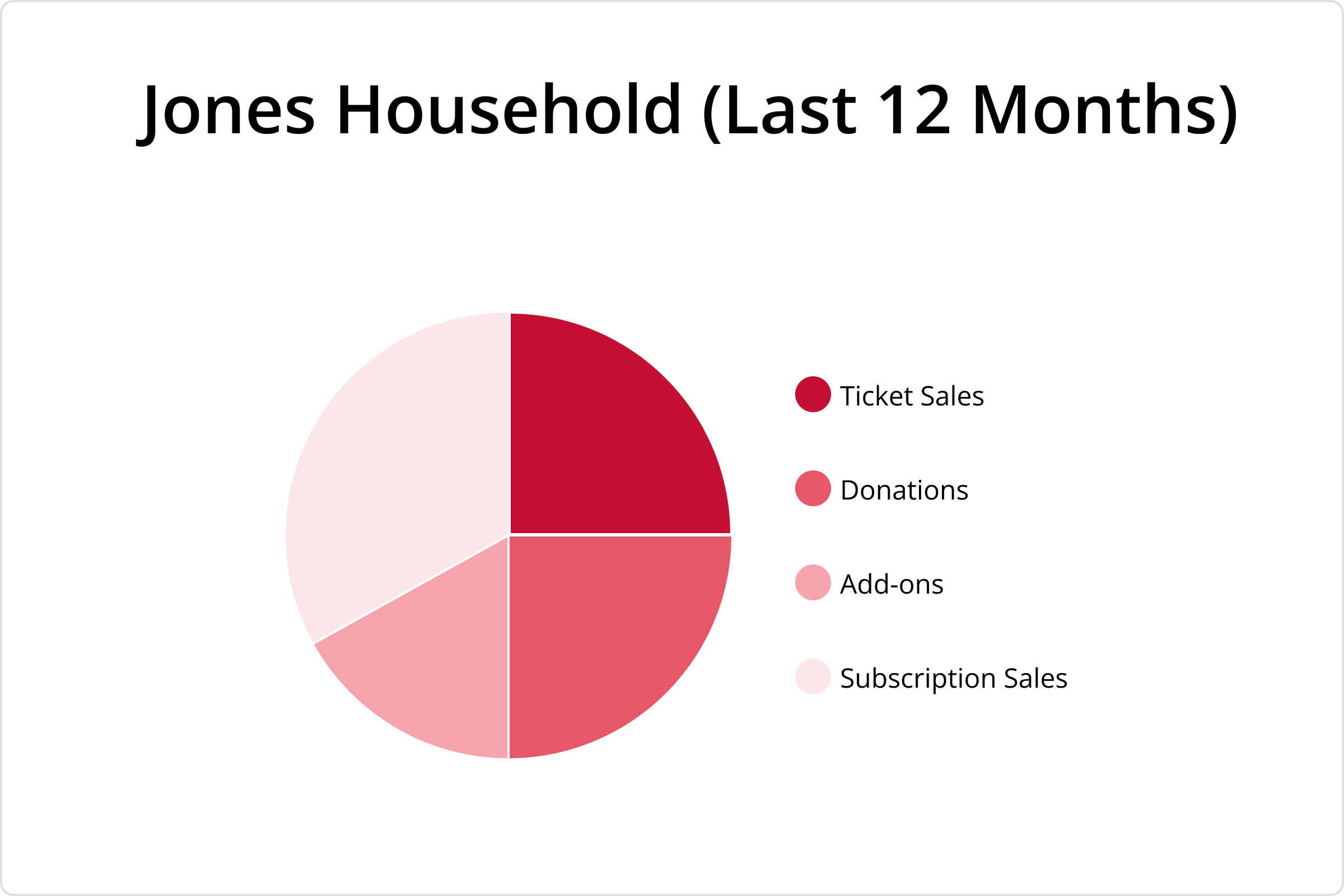
    Organize patrons who live together into households, and view household-level insights.

  • Custom Fields

    Add unique fields to contact records to save important information about patrons.

  • Bulk Import

    Bring your existing patron records from your old system to get started quickly.
RELATED FEATURES

Audience insights that power advanced marketing

Knowing your patrons is the key to building lasting relationships, and On The Stage automatically puts those insights into action to keep your audience coming back.

Know your audience

Organize patrons into marketable segments based on shared characteristics and behaviors.

Learn more →

Automatically reach the right patrons

Deliver the right message to the right person at the right time with automatic, always-on marketing campaigns.

Learn more →

Never miss an opportunity

Use patron insights to send custom email campaigns, using OTS or your favorite email tool.

Learn more →

BOX OFFICE

Built for your box office

On The Stage speeds up box office workflows and makes it easier to support patrons at every phase.

Flexible Reports

View insights by patron, segment, tag, household, and more.

Check-In Lists

Tags are visible at the door, so staff instantly know who needs special assistance - or special treatment.

Duplicate Management

OTS identifies duplicate records, and makes it easy to combine them without losing any information.

Easy Export

Download patron records at any time with one click.
FAQ

Common questions about patron management.

What is a patron CRM for a performing arts organization?

It's one record per patron holding everything your organization knows about them - what they've bought, what they've given, which household they belong to, and what your team has talked to them about. On The Stage builds it automatically out of your own ticketing and fundraising activity, so there's nothing to maintain by hand.

Do I have to enter patron information myself?

No. Every order, donation, renewal, and message writes itself to the patron's profile as it happens, from whichever channel it came through - online, box office, phone, or in person.

How do I know whether the person calling is a donor?

Open their profile and it's the first thing you see. Lifetime giving, recurring gifts, the campaigns they supported, and when they last gave all sit on the record alongside their ticket history.

Where do I write down what a patron told me on the phone?

On their profile. Phone calls and in-person conversations get logged by your team, and emails log themselves - so the next person to pick up the phone sees the whole history instead of starting over.

Can I group families together and see what a household gives?

Yes. Organize patrons who live together into a household and read their ticket, donation, subscription, and add-on totals as one number instead of four. That's usually the difference between seeing four modest patrons and seeing one major-gift prospect.

How do I keep track of things that don't fit in a standard field?

Two ways. Custom tags label patrons the way your organization thinks - VIP, board member, alumni, requires ADA assistance - and custom fields hold specifics like a school affiliation or a donor tier. Both are available later when you build audience segments.

Can I bring patron records over from my current ticketing system?

Yes. Bulk import brings your existing records across with columns mapped for you, so you start with your history intact rather than an empty database. You can export everything back out whenever you want it, too.

What happens when the same patron ends up in the system twice?

On The Stage flags records that look like the same person and lets your team combine them without losing anything from either one.

How do I use what I know about patrons to sell more tickets?

Everything on the patron profile is available when you build audience segments, and those segments feed your email campaigns and Plays. A list of lapsed patrons, first-time donors, or everyone who attends family programming is a few clicks from being a campaign.