Getting to Know You: Understanding Your Patrons
Understanding your patrons is the cornerstone of creating memorable experiences and running your organization, and that understanding can begin long before they step foot in your venue. From gathering critical safety information about campers and class attendees to taking orders for dinner theatre, having the information you need is critical to the success of your programs and productions.
That’s why On The Stage (OTS) launched our new custom checkout questions, which enable you to quickly and effectively gather the information you need from your patrons during the purchase process.
Common Uses
- Camp & Class Registrations: Gather details like T-shirt sizes and nicknames, as well as critical safety information such as allergies and authorized pickups
- Marketing Insights: Understand how patrons heard about you to better assess the effectiveness of your marketing campaigns
- Immersive Experiences: Proactively ask about things like openness to audience participation
- Community Engagement: Inquire who patrons are there to see, or if they’re interested in becoming members or volunteers
By incorporating these questions into the checkout flow, you eliminate the need to manually follow-up with patrons after their purchase with a Google form, email, or phone call. This streamlined approach gets you the information you need while saving you and your team valuable time, eliminating headaches and humor errors, and delivering a better experience to your patrons. (It also works seamlessly in tandem with our pre-purchase and post-attendence surveys).
Benefits of Checkout Questions
- Streamlined Operations: Eliminate the need for standalone forms and manual phone and email follow-ups, saving your team time and reducing human error
- Improved Response Rates: Mandatory questions ensure you never miss critical details
- Enhanced Patron Experience: Unified checkout process delivers a seamless, professional experience
- Actionable Insights: Easily analyze attendee data to improve your future programming and optimize your future marketing
OTS makes it easy to create an unlimited number of custom checkout questions, and is preloaded with the following common questions to save you even more time.
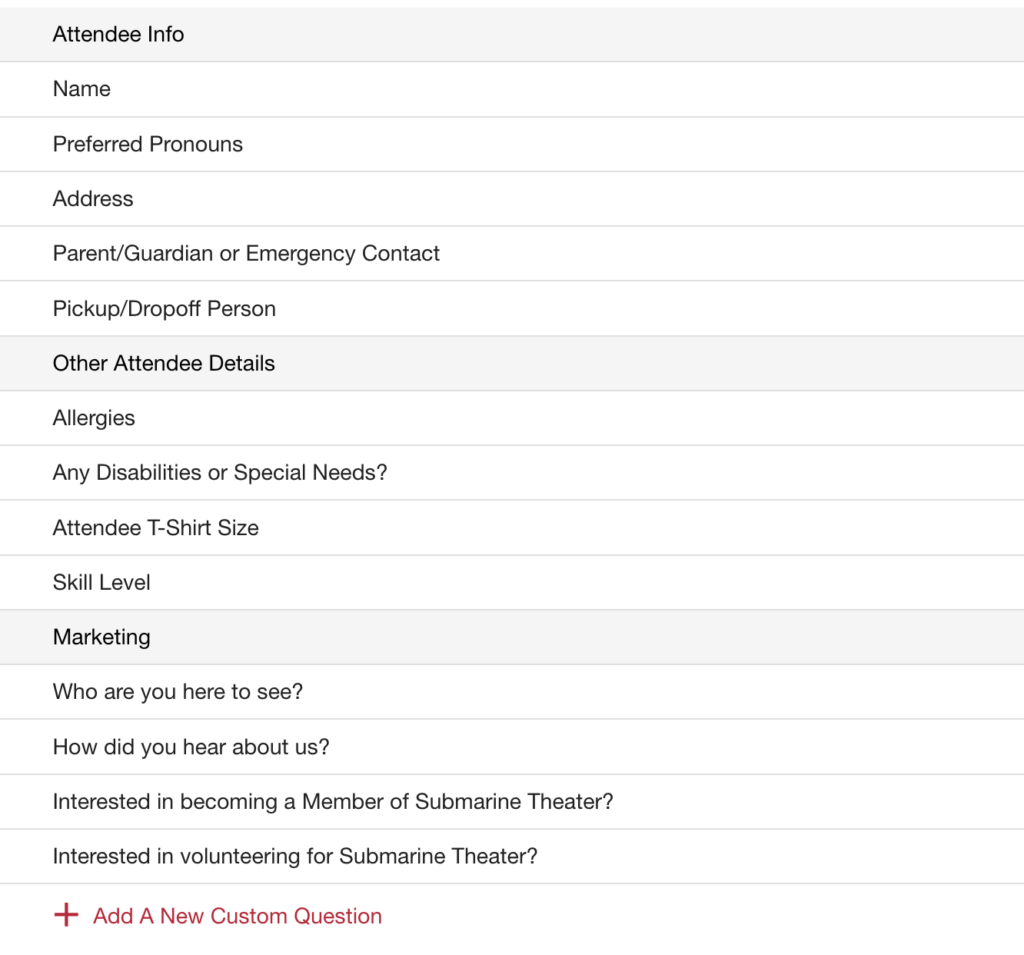
Creating Custom Checkout Questions
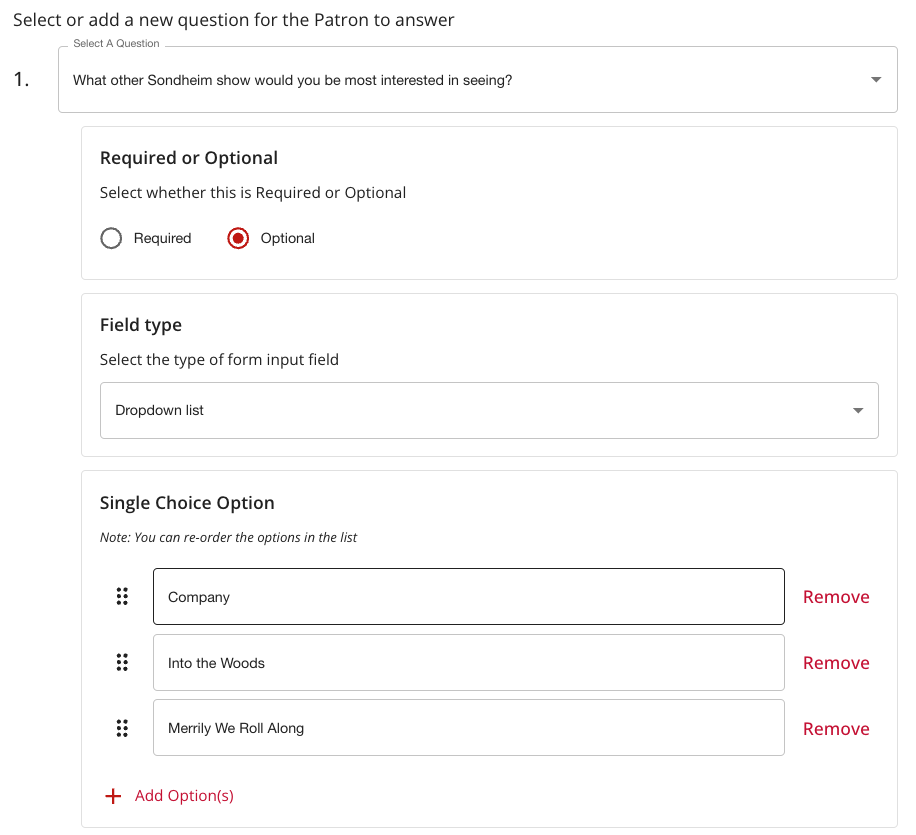
Let’s say your organization is mounting a production of Sweeney Todd as part of its upcoming season, and you want to know which other Sondheim shows your patrons would be interested to attend in future seasons. Gathering that is easy with checkout questions.
It’s easy to create custom checkout questions with just a few simple steps.
To create a new question, simply navigate to “Checkout Questions” in the left navigation, and then click the “+” sign to open the question creation flow. The first step is to select which production(s) to which the question applies. It can be a single production, every production in your season, or any mix that you choose.

Next, type out the text of the question and select the question type. You can choose from a dropdown list of options that you pre-populate, numbers, text, dates, or checkboxes. In this case we’ll choose a dropdown list, which prompts you to add the options your patrons will have to choose from.
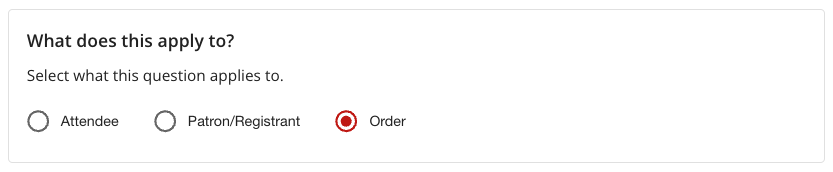
Finally, you can specify what the answer to the question applies to, as follows:
- Patron/Registrant: Applies to the person completing the transaction, and is saved in their patron profile for longevity. Use this for things you want to remember like birthdays, favorite types of shows, and if they’re open to becoming a volunteer
- Attendee: Applies to the person using the ticket or being registered, such as a child, family member, or guest. Use this to ask about things like allergies, T-shirt sizes, and authorized pickups
- Order: Applies only to this order and is not saved in a patron profile. Use this for things like asking “who are you here to see” or, in this case, “what other Sondheim shows would you be most interested in seeing?”
That’s it! Simply click “Save and Publish” and your question is automatically added to the checkout flow for those productions.
The Patron Experience
The existing OTS checkout flow is already fast and easy, and checkout questions fit seamlessly in without adding additional windows or clicks. As an example, let’s say you’re offering a youth theatre workshop with separate sections for middle school and high school-aged students. By creating separate ticket types, OTS makes it easy for a parent or guardian to register multiple children (known in the platform as attendees) into the same program in a single transaction.
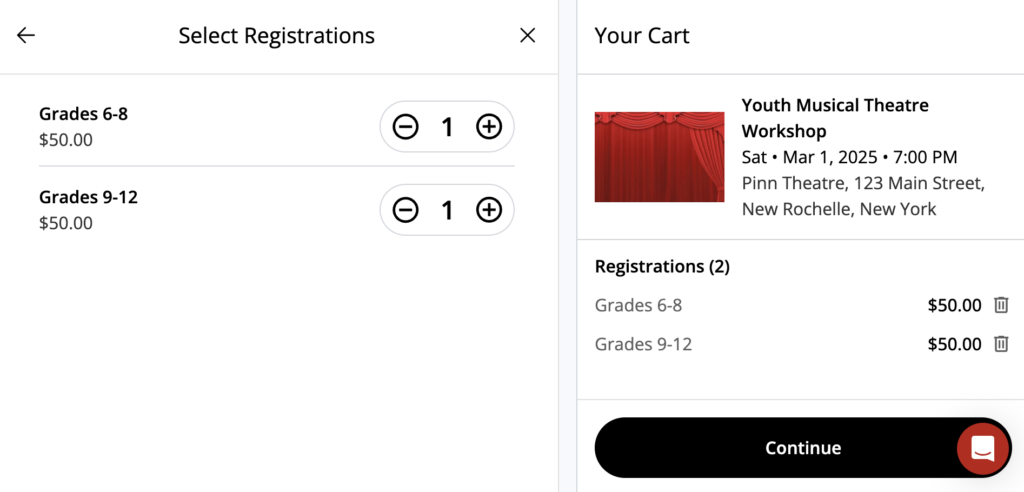
Once they’ve selected their registrations, registrants are led to a new checkout page that asks them to fill out the information you need, which in this case is each attendee’s preferred pronouns, emergency contacts, and T-shirt size.
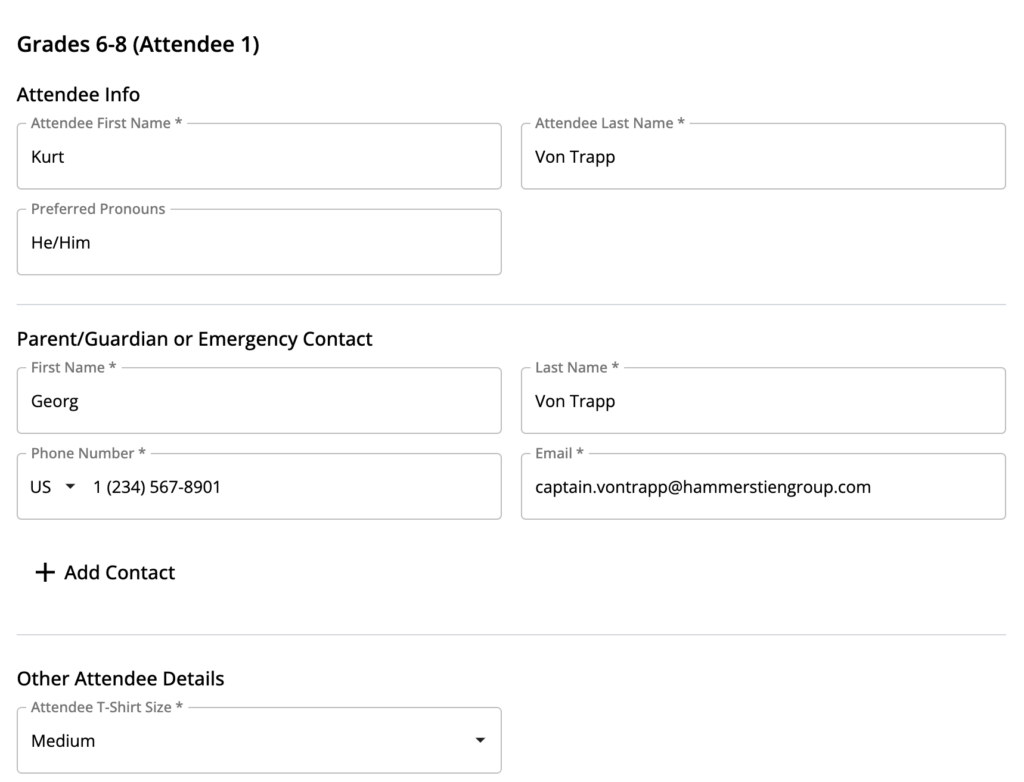
Once patrons have filled everything out for the first attendee, the second moves even faster. OTS makes it easy to reuse information such as emergency contacts to save time, meaning registrants only need to fill out the information that only applies to the second attendee.
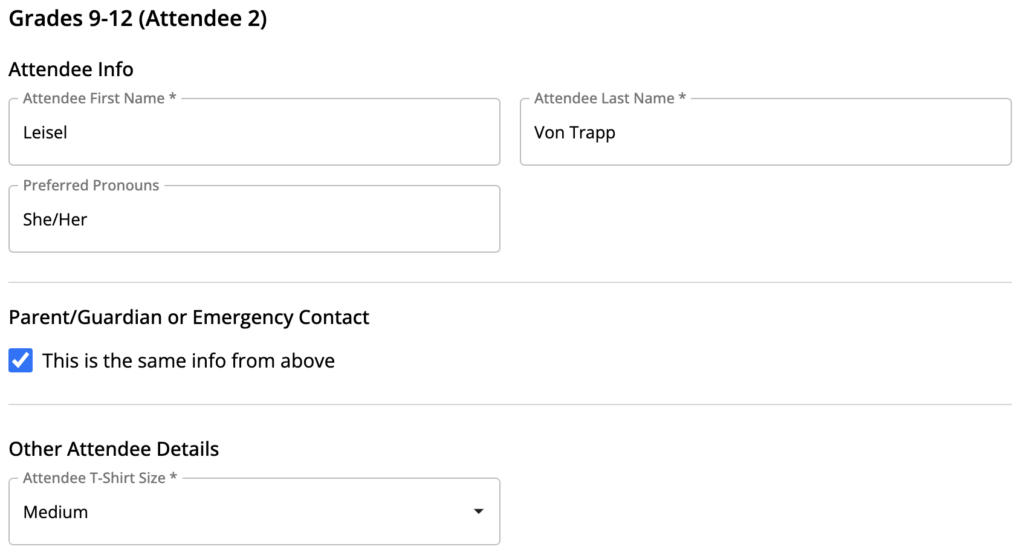
Once all mandatory fields are filled out, patrons are guided to a final billing and checkout screen to complete the transaction.
Assessing results
There are numerous ways to access the answers to checkout questions in OTS, all of which are fast and easy.
- Order Level: Navigate to an individual order to view answers associated with that order and its attendees
- Check-in List: Use the box office portal to access a master check-in list that centralizes critical information such as allergies, ADA needs, and authorized pickups
- Reporting Dashboard: Download all of your attendee data or a patron attendance report with standard reports
Getting Started
Whether you offer camps or classes, immersive experiences, or are simply trying to level-up your marketing, OTS checkout questions make it easy to collect the information you need. OTS platinum customers can get started today by logging in to the platform and navigating to “checkout questions” in the navigation bar.
To learn more about checkout questions and how they can help you streamline operations and delight patrons, talk to your OTS account manager or schedule a personalized demo today.